CadQuery: Python-Powered Parametric CAD and Its Growing Ecosystem
Discover CadQuery, a Python framework for creating parametric 3D CAD models, and explore the rich ecosystem of editors, plugins, and tools built around it.
Introduction
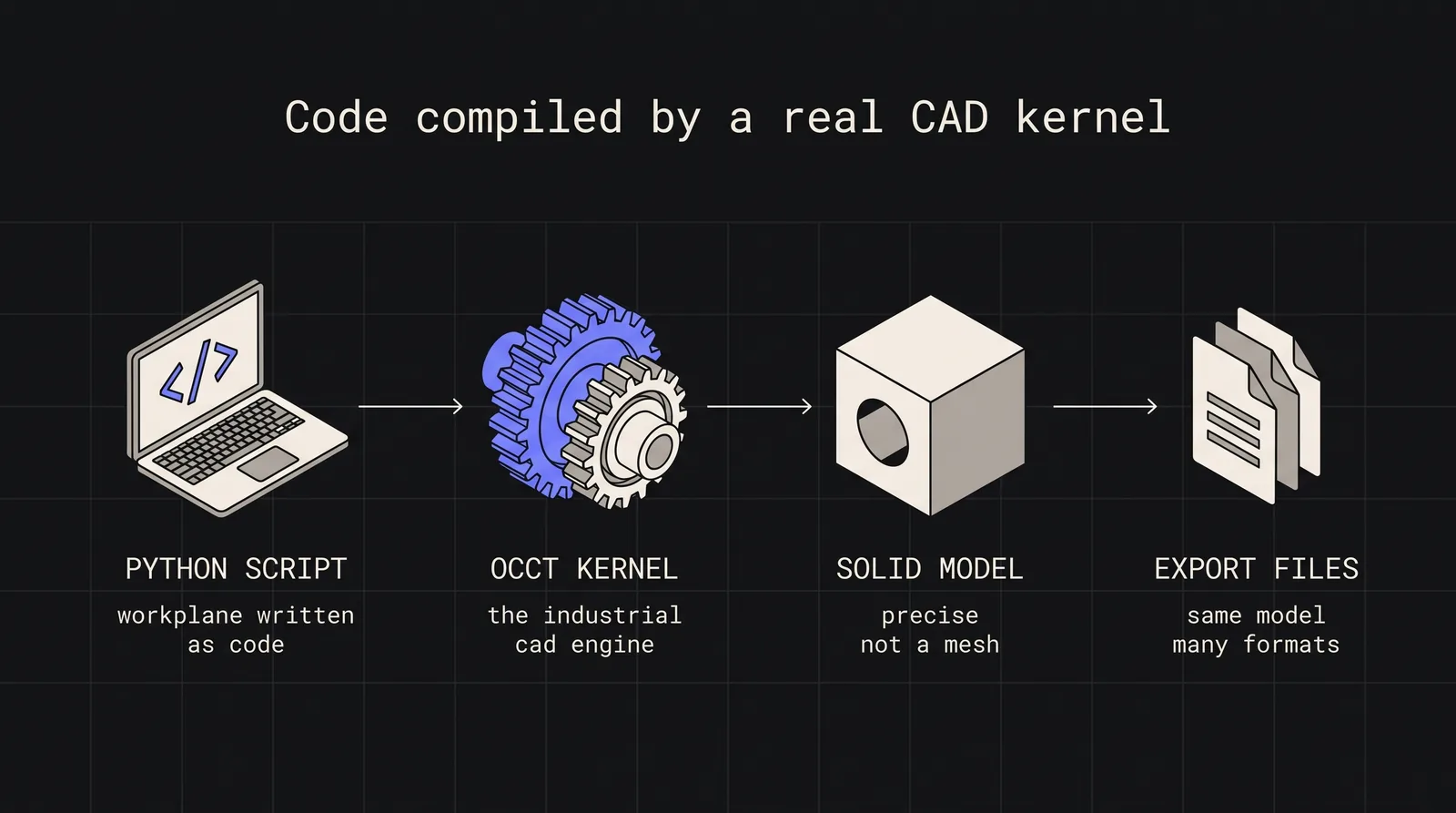
If you’ve ever wanted to create precise 3D models using code instead of clicking through a GUI, CadQuery might be exactly what you’re looking for. It’s a Python-based framework for building parametric 3D CAD models that can be exported to industry-standard formats like STEP, STL, and 3MF.
What makes CadQuery stand out is its foundation: it’s built on Open CASCADE Technology (OCCT), the same industrial-grade CAD kernel used by FreeCAD and other professional tools. This gives it capabilities far beyond simple mesh-based modeling.
Why CadQuery Over OpenSCAD?
Many developers start with OpenSCAD for programmatic CAD, but CadQuery offers several advantages:
Standard Python: Use your favorite IDE, debugger, and all Python libraries
Installation is straightforward with conda (recommended) or pip:
Installation
# Using conda/mamba (recommended)
mambainstall-cconda-forgecadquery
# Or using pip
pipinstallcadquery
How CadQuery Works
CadQuery uses a fluent API that reads almost like natural language. Here’s a simple example creating a plate with a hole:
simple_plate.py
import cadquery as cq
thickness = 0.5
width = 2.0
result = (
cq.Workplane("front")
.box(width, width, thickness)
.faces(">Z")
.hole(thickness)
)
# Export to STEP
cq.exporters.export(result, "plate.step")
The key concept is the Workplane - a 2D plane in 3D space where you sketch and build features. You chain operations together, selecting faces, edges, or vertices to position new features relative to existing geometry.
Here’s a more complex parametric example:
pillow_block.py
import cadquery as cq
# Parameters - change these to customize the model
metric_threads: Internal and external thread generation
CAM and Manufacturing
ocp-freecad-cam bridges the gap between design and manufacturing by integrating FreeCAD’s CAM capabilities with CadQuery models.
Command Line Tools
cq-cli lets you execute CadQuery scripts and convert outputs from the command line - perfect for CI/CD pipelines:
CLI example
cq-cli-imodel.py-omodel.step
cq-cli-imodel.py-omodel.stl
Build123d: The Next Evolution
Worth mentioning is Build123d, a fork that evolved from CadQuery into a more “Pythonic” framework. Key differences:
Uses Python context managers (with blocks) instead of method chaining
Explicit 1D, 2D, and 3D geometry classes
Better IDE support with proper type hints
Extensible through subclassing rather than monkey-patching
build123d_example.py
from build123d import *
with BuildPart() as part:    Box(10, 10, 5)    with Locations((0, 0, 5)):        Hole(2)
Both frameworks share the OCP (Open CASCADE Python) wrapper, so objects can be interchanged between them.
AI Integration: Text-to-CadQuery
An exciting development in 2025-2026 is the emergence of Text-to-CadQuery - using large language models to generate CadQuery scripts from natural language descriptions. Researchers have fine-tuned models on 170,000+ CadQuery annotations, achieving 69.3% exact match accuracy.
This opens possibilities like:
“Create a bracket with two mounting holes spaced 50mm apart and a central slot for cable routing”
And getting working CadQuery code in return.
When to Use CadQuery
CadQuery excels for:
Parametric models where dimensions need to change
Automated part generation in manufacturing pipelines
Precise engineering requiring STEP format exports
Version-controlled designs (CAD files as code in Git)
Integration with Python tools (NumPy, SciPy, data analysis)
It’s less suited for:
Artistic/organic modeling (use Blender instead)
Quick one-off designs (traditional CAD might be faster)
CadQuery represents a paradigm shift in how we approach CAD - treating 3D models as code rather than files. With its powerful OCCT foundation, growing ecosystem of tools, and Python’s flexibility, it’s becoming an increasingly attractive option for engineers, makers, and developers who want precise control over their designs.
Whether you’re generating thousands of parametric parts for manufacturing, creating custom 3D printable designs, or just prefer code over clicking, CadQuery and its ecosystem have matured into a serious toolset worth exploring.