AI-Assisted Development Workflows with Claude Code and MCP
Explore how Claude Code and Model Context Protocol (MCP) servers transform software development with AI-powered code generation, task management, and persistent memory.
Introduction
Software development is undergoing a fundamental transformation. The rise of AI-powered development tools has shifted from novelty to necessity, with developers increasingly relying on intelligent assistants to accelerate their workflows. But the real breakthrough isn’t just having an AI that can write code - it’s having one that understands your entire development context.
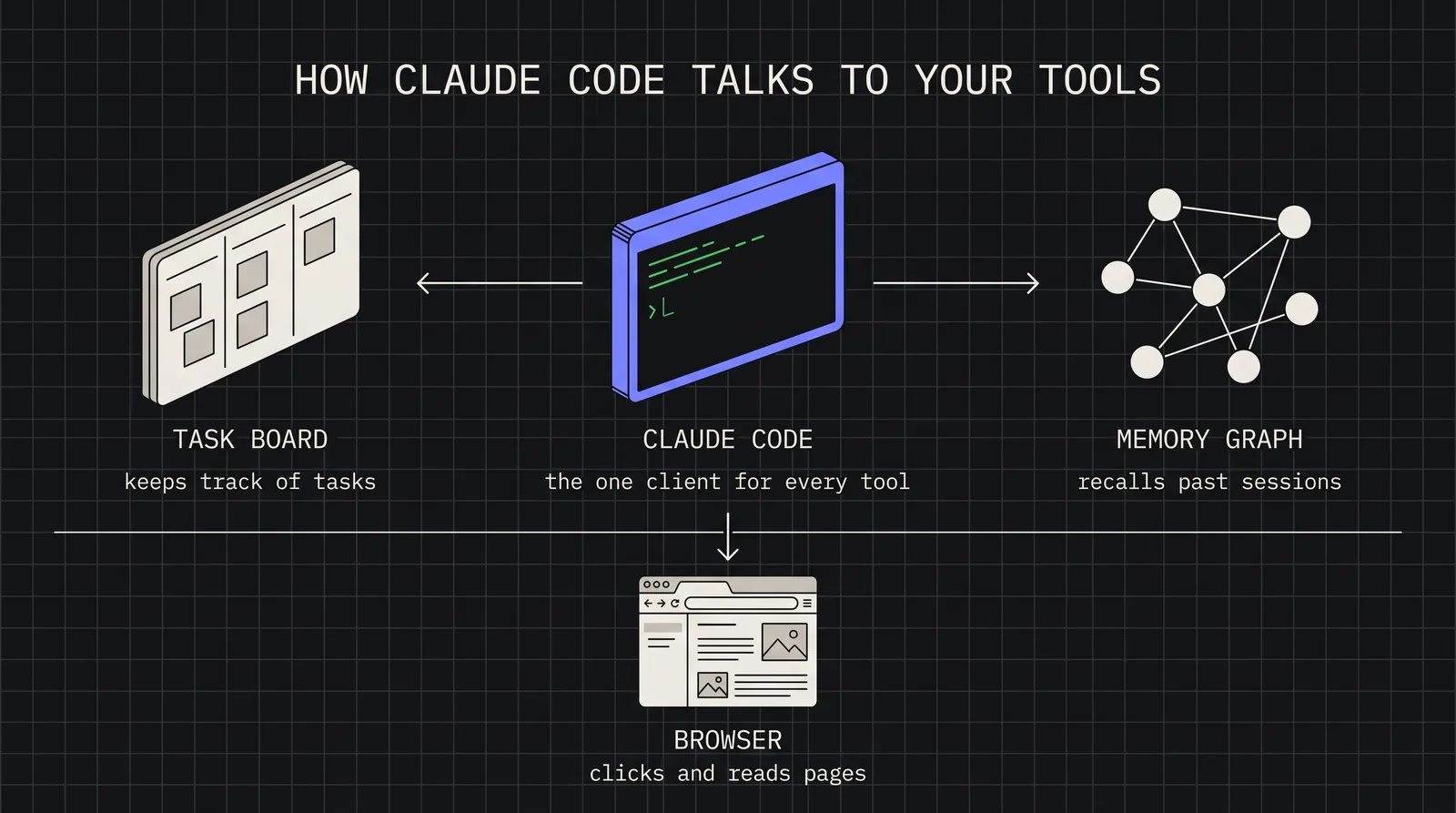
Claude Code represents a new paradigm in AI-assisted development: a command-line interface that brings Anthropic’s Claude directly into your terminal, integrated with your codebase, your tools, and your workflow. When combined with the Model Context Protocol (MCP), it becomes an extensible development partner capable of managing tasks, querying databases, automating browsers, and maintaining persistent memory across sessions.
In this article, we’ll explore practical workflows for integrating Claude Code and MCP servers into your development process - from ticket to pull request.
What is Claude Code?
Claude Code is Anthropic’s official CLI for AI-assisted development. Unlike browser-based AI assistants or IDE plugins, Claude Code operates directly in your terminal with full access to your filesystem, Git repositories, and development tools.
Key capabilities include:
Codebase awareness: Reads and understands your entire project structure
File operations: Creates, edits, and refactors code with precise changes
Command execution: Runs tests, builds, and Git operations
Multi-file reasoning: Understands relationships across your codebase
Session continuity: Maintains context throughout a development session
Starting a Claude Code session
# Navigate to your project
cd~/projects/my-app
# Start Claude Code
claude
# Or start with a specific task
claude"Review the authentication module and suggest improvements"
The power of Claude Code lies in its contextual understanding. It doesn’t just respond to prompts - it reads your CLAUDE.md project documentation, understands your directory structure, and adapts its responses to your specific codebase conventions.
Understanding the Model Context Protocol
The Model Context Protocol (MCP) is an open standard that allows AI assistants to connect with external tools and data sources. Think of it as a plugin system for AI - a way to extend Claude’s capabilities beyond text generation into actionable integrations.
MCP works through a client-server architecture:
┌─────────────────┐ ┌─────────────────┐
│ Claude Code │────▶│ MCP Server │
│ (Client) │◀────│ (Tool Provider)│
└─────────────────┘ └─────────────────┘
│ │
│ JSON-RPC calls │
└───────────────────────┘
Each MCP server exposes tools (functions Claude can call), resources (data Claude can read), and prompts (templates for common operations). This separation allows for:
Modular extensibility: Add capabilities without modifying Claude Code itself
Security boundaries: Each server runs with its own permissions
Specialized integrations: Purpose-built servers for specific domains
Configuring MCP servers
MCP servers are configured in your Claude Code settings. Here’s a typical configuration combining several useful servers:
Pro Tip: Use environment variables or a .env file for sensitive credentials rather than hardcoding them in settings.
Practical MCP servers for development
vibe-kanban: Task and project management
The vibe-kanban MCP server integrates task management directly into your AI workflow. Claude can create, update, and track tasks without leaving your terminal session.
Example workflow with vibe-kanban
# Claude can invoke these tools during a session:
# - list_tasks: View current sprint/backlog
# - create_task: Create new tasks with descriptions
# - update_task: Mark tasks complete, add notes
# - get_task: Retrieve task details
# Session transcript example:
# User: "Create a task for implementing user authentication"
# Claude: [Calls create_task with title, description, priority]
# Claude: "Created task #42: Implement user authentication (High priority)"
This integration eliminates context-switching between your code editor and project management tools. When you complete a feature, Claude can mark the task done and create follow-up tasks for testing or documentation.
neo4j-memory: Persistent knowledge graphs
One limitation of AI assistants is session-based memory - each conversation starts fresh. The neo4j-memory MCP server solves this by storing context in a Neo4j graph database.
Memory storage pattern
# Store design decisions
memory_store(
content="Authentication uses JWT with 15-minute expiry",
context="auth-module",
tags=["architecture", "security"]
)
# Later sessions can retrieve this context
memory_find(query="authentication approach")
# Returns: "Authentication uses JWT with 15-minute expiry"
This creates a persistent knowledge base that grows with your project. Claude can recall past decisions, understand historical context, and maintain consistency across development sessions spanning weeks or months.
playwright: Browser automation
The Playwright MCP server enables Claude to interact with web browsers - invaluable for testing, web scraping, or debugging frontend issues.
Browser automation example
# User: "Check if the login form renders correctly"
# Claude: [Uses playwright to navigate, screenshot, and analyze]
# Claude: "The login form renders correctly. I notice the
# 'Forgot Password' link has a contrast ratio issue."
Workflow example: Feature implementation
Let’s walk through a complete workflow from task creation to pull request, demonstrating how Claude Code and MCP servers work together.
Step 1: Task creation and context gathering
Session start
# Start Claude Code in your project
claude
# User prompt:
"I need to add rate limiting to our API. Check the current
task list and create a task if one doesn't exist."
Claude queries vibe-kanban, finds no existing task, and creates one:
Created task #58: Implement API rate limiting
- Priority: High
- Description: Add rate limiting middleware to prevent abuse.
Consider using Redis for distributed rate tracking.
Step 2: Implementation with memory context
Claude retrieves relevant context from neo4j-memory:
Implements sliding window rate limiting with configurable
requests-per-minute threshold. Uses Redis for distributed
tracking across multiple server instances.
Co-Authored-By: Claude Code <noreply@anthropic.com>"
# Creates PR via gh CLI
ghprcreate--title"Add API rate limiting"--body"..."
# Updates task status
# [Calls update_task to mark #58 complete]
Best practices for AI-assisted development
1. Maintain a CLAUDE.md file
Document your project’s architecture, conventions, and important context in a CLAUDE.md file at your repository root. Claude Code reads this automatically and adapts its responses accordingly.
CLAUDE.md example
## Project Overview
E-commerce API built with Flask and PostgreSQL.
## Conventions
- Use type hints for all function signatures
- Tests go in tests/ mirroring src/ structure
- Database migrations use Alembic
## Key Files
- src/api/routes.py - API endpoint definitions
- src/models/ - SQLAlchemy models
- src/middleware/ - Request/response middleware
2. Use memory strategically
Store architectural decisions, not implementation details. Good candidates for neo4j-memory:
Design patterns chosen and why
External service configurations
Team conventions and standards
Past bugs and their root causes
3. Review AI-generated code
AI-assisted doesn’t mean AI-autonomous. Always review generated code for:
Warning: Never commit AI-generated code that handles authentication, payment processing, or sensitive data without thorough human review.
4. Iterate in context
Keep related work within the same Claude Code session when possible. Context accumulates, making each subsequent task more informed. When starting a new session, use memory queries to restore relevant context.
Conclusion
Claude Code and MCP represent a maturation of AI-assisted development from novelty to infrastructure. The combination of an AI that understands your codebase, tools that extend its capabilities, and persistent memory that maintains context transforms how we approach software development.
Key takeaways:
Claude Code brings AI directly into your terminal with full codebase awareness
Integrated workflows reduce context-switching and maintain development momentum
Best practices include maintaining documentation, strategic memory use, and human review
The future of development isn’t about replacing human developers - it’s about amplifying their capabilities with intelligent tools that understand context, maintain memory, and integrate seamlessly into existing workflows.